
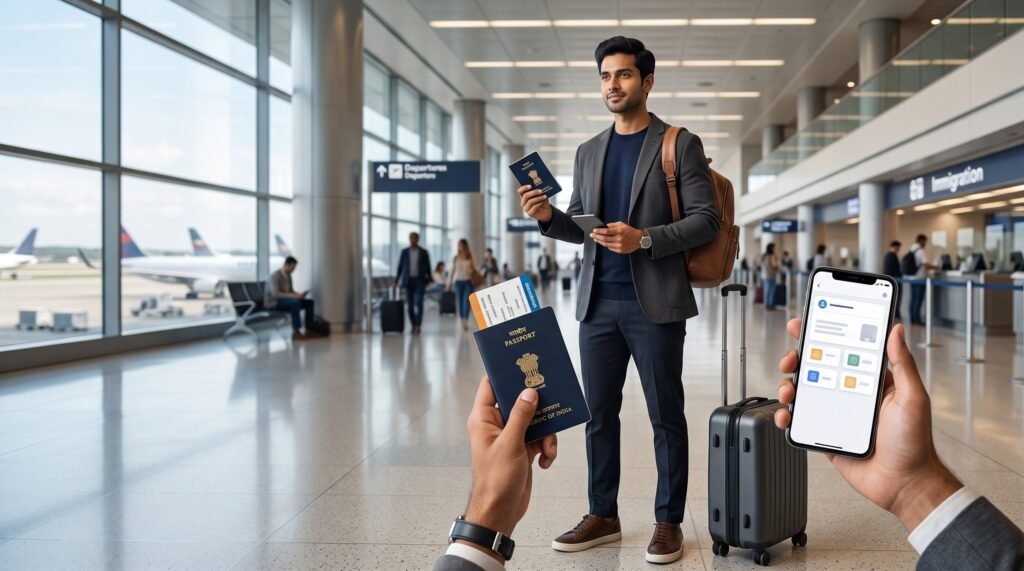
If you are an Indian traveler flying to the United States, you may be wondering: Is DigiLocker accepted at US airports, or do you need to carry your original passport and other physical documents?
The important distinction is between Indian airport procedures and U.S. airport procedures.
DigiLocker documents can be accepted for certain airport-related purposes in India, and eligible government-issued documents available through DigiLocker may be used for applicable identity-verification purposes. However, that does not mean DigiLocker automatically replaces your physical passport or immigration documents when you arrive in the United States.
For an international trip to the USA, your safest approach is to travel with your valid physical passport, appropriate U.S. visa or other required entry authorization, and other original travel documents. A DigiLocker copy can be a useful backup, but it should not be treated as a substitute for the passport required for international travel.
This guide explains what DigiLocker can and cannot do for a U.S. trip, what happens at the Indian departure airport, what to expect at a U.S. airport, and which documents you should keep physically with you.
Is DigiLocker Accepted at US Airports?
DigiLocker should not be relied upon as a replacement for your physical passport at a U.S. airport.
This is the most important point for Indian travelers.
DigiLocker is an Indian government digital-document platform that provides access to documents issued by participating government departments and organizations. Its issued documents are designed to provide digitally accessible and verifiable versions of eligible records.
That recognition, however, does not automatically create an international travel-document standard.
For a traveler entering the United States, the physical passport remains a critical travel document. U.S. border processing uses travel-document information, including passport information, and biometric systems may compare a traveler’s face with the passport or other travel information on record.
So the practical answer is:
DigiLocker: useful backup
Physical passport: essential travel document
Can You Use DigiLocker at the Indian Airport Before Flying to the USA?
This is where the answer is different.
DigiLocker can be useful for certain airport identity-verification purposes in India.
Eligible government-issued identity documents available through DigiLocker may be accepted for applicable airport procedures in India.
However, this should not be confused with international passport requirements.
For international flights, travelers should still carry their valid passport, visa, entry permit and other required travel documents.
This creates an important distinction:
At the Indian departure airport
DigiLocker may help with applicable identity-document verification.
For international travel to the USA
You should still carry your physical passport and required entry documents.
Don’t confuse acceptance of a DigiLocker identity document at an Indian airport with acceptance of a digital document as a substitute for your passport by U.S. immigration authorities.
Does DigiLocker Replace Your Passport for a USA Flight?
No.
DigiLocker does not replace your physical passport for international air travel to the United States.
A passport is not simply an identity card. For an international journey, it functions as a recognized travel document containing information that airlines and border authorities use to establish your identity and travel eligibility.
For a USA trip, therefore, don’t make the mistake of thinking:
“My passport is available digitally, so I don’t need the original.”
For a USA trip, carry the original physical passport.
What Documents Should Indian Travelers Carry to the USA?
For a typical Indian traveler visiting the United States, your travel-document folder should include the documents applicable to your specific trip.
Essential documents
1. Physical passport
Carry your valid original passport.
2. U.S. visa or applicable travel authorization
Your required authorization depends on your nationality and purpose of travel.
3. Flight booking
Keep your itinerary accessible digitally and, if useful, as a backup printout.
4. Accommodation details
Hotel or host information can be useful during travel and arrival procedures.
5. Return or onward travel information
Depending on your circumstances, you may be asked about your onward plans.
6. Supporting documents
For certain travelers, supporting documentation related to employment, education, business, family visits or financial circumstances may be useful.
DigiLocker can provide a convenient backup for certain Indian-issued documents, but it should complement—not replace—the core international travel documents.
What Happens When You Arrive at a US Airport?
When you arrive in the United States on an international flight, the process is different from simply entering an Indian airport.
You may go through:
- Arrival at the U.S. airport
- Immigration or CBP processing
- Identity and travel-document verification
- Baggage collection
- Customs procedures
- Exit into the public airport area
U.S. border authorities use biometric and document-verification systems at many ports of entry. Depending on the airport and applicable process, facial comparison and travel-document information may be used to verify travelers.
This is why having your physical passport readily accessible is so important.
A screenshot of your passport stored on your phone is not the same thing as carrying the passport itself.
Can You Show a DigiLocker Document to CBP?
You should not assume that a DigiLocker document will be accepted by CBP as a substitute for the original travel document.
DigiLocker is an Indian digital-document system. CBP operates under U.S. immigration and border-processing requirements.
If a CBP officer needs to examine your passport or other travel documentation, you should be prepared to present the original physical document.
DigiLocker may still be useful as a backup reference for Indian-issued documents, but it should not be your primary document strategy for U.S. immigration.
What About Aadhaar in DigiLocker?
Aadhaar may be available through DigiLocker or other digital services, but that does not make it a substitute for your passport for international travel to the United States.
Certain Indian government processes may recognize Aadhaar or other eligible digital documents for specific purposes.
That is different from saying that U.S. immigration authorities accept Aadhaar in DigiLocker as an international travel document.
The simple rule
Aadhaar/DigiLocker: useful Indian identity documentation in applicable situations.
Passport: primary international travel document for your USA journey.
Is a Digital Copy of Your Passport Enough for a US Airport?
No—do not rely on a digital copy alone.
You can keep a secure digital scan or photograph of your passport as an emergency backup, but it should supplement your physical passport.
A digital copy can be useful if:
- Your passport is lost
- You need to reference your passport number
- You need to access personal information
- You need to provide details to your travel insurer or authorities
But a photo of the passport does not become the passport itself.
Keep the original document safely with you.
Can DigiLocker Help During Domestic Flights Inside the USA?
This is another situation where travelers can become confused.
TSA has its own list of acceptable identification for passengers at U.S. security checkpoints.
For adults, TSA accepts several forms of identification, including a foreign government-issued passport.
That means an Indian traveler who is already in the United States and takes a domestic flight can generally use their valid foreign passport as an acceptable TSA identification document.
A DigiLocker document should not be assumed to have the same status as that physical foreign passport.
Example
Suppose you fly:
Delhi → New York → Los Angeles
For the New York-to-Los Angeles domestic flight, keep your passport readily accessible.
Don’t assume that showing Aadhaar inside DigiLocker will automatically satisfy TSA identification requirements.
What If You Are an Indian Citizen Traveling on a Domestic US Flight?
If you are an Indian visitor already in the United States, the safest identification document for air travel is your physical foreign passport.
TSA recognizes foreign government-issued passports among acceptable forms of identification at airport security checkpoints.
This is particularly important because REAL ID rules apply to U.S. state-issued driver’s licenses and identification cards, while an international visitor generally relies on their passport as their government-issued travel ID.
Is DigiLocker the Same as a US Digital ID?
No.
DigiLocker and U.S. digital identification programs are separate systems.
TSA has developed digital identity capabilities at participating airports and with certain accepted credentials. Digital identity options can be available at eligible checkpoints under specific conditions.
That does not mean an Indian DigiLocker document is automatically recognized as a TSA digital ID.
Don’t confuse:
DigiLocker
Indian government digital-document ecosystem.
TSA Digital ID
U.S. airport identity technology supported through participating programs and credentials.
They are not interchangeable.
Does REAL ID Affect Indian Travelers?
REAL ID primarily concerns U.S. state-issued driver’s licenses and identification cards.
For airport security, travelers using state-issued identification generally need a REAL ID-compliant credential or another acceptable form of identification.
For an Indian visitor, this means you generally do not need a U.S. REAL ID driver’s license simply to fly domestically while visiting the country.
Your valid foreign passport is an important alternative.
What If Your Passport Is Lost in the USA?
This is one reason keeping digital backups is smart.
If you lose your physical passport in the United States, having a secure digital copy can help you access important information while contacting your country’s diplomatic mission and dealing with the relevant authorities.
However:
A digital backup does not replace the lost passport.
Treat DigiLocker and other digital copies as emergency references—not as a guarantee that an airport or immigration authority will accept them instead of the original document.
Should You Keep DigiLocker Documents Before Flying to the USA?
Yes.
Even though DigiLocker should not replace your physical passport, keeping relevant documents available can be useful.
Before your trip, check that your DigiLocker account contains the government-issued documents you may need.
DigiLocker’s system distinguishes between issued documents and documents that a user simply uploads to the Drive section.
This distinction matters.
Issued document
A document made available through an integrated government issuer.
Uploaded document
A file you personally upload.
Do not assume these two categories have identical verification status everywhere.
DigiLocker Issued Documents vs Uploaded Documents
This is a particularly useful distinction for travelers.
DigiLocker distinguishes between documents issued through integrated government sources and files uploaded by individual users.
Therefore, when a government service specifically accepts DigiLocker-issued documents, don’t automatically assume that a random PDF or photograph uploaded into DigiLocker Drive receives the same treatment.
Best practice
If a document is available through the Issued Documents section, prefer that official source.
Keep your physical originals for international travel regardless.
Can DigiLocker Be Used for Visa Documents?
DigiLocker may be useful for storing or accessing supporting Indian documents, but whether a particular document is accepted for a U.S. visa or immigration purpose depends on the specific U.S. authority and procedure.
Do not assume that because an Indian government agency accepts a DigiLocker document, a U.S. embassy, airline or border officer must accept the same document electronically.
Visa requirements can vary according to:
- Visa category
- Nationality
- Travel purpose
- Application procedure
- U.S. government instructions
Always follow the instructions associated with your specific U.S. visa process.
What Should You Keep on Your Phone?
Your phone can be an excellent travel backup.
Consider securely storing:
- Passport information
- Visa information
- Flight itinerary
- Hotel reservation
- Travel insurance
- Emergency contacts
- Important Indian identity documents
- Copies of supporting travel documents
DigiLocker can be part of this backup strategy.
But don’t create a situation where your entire trip depends on your phone.
Your phone can:
- Lose battery
- Break
- Get lost
- Lose internet access
- Become inaccessible
Your most important international travel document should remain your physical passport.
What If the Airport Wi-Fi Doesn’t Work?
This is another reason to prepare offline.
Don’t assume you’ll always have:
- Airport Wi-Fi
- Mobile data
- Roaming
- A working SIM
- A charged phone
Download or save important travel information before leaving.
For documents that must be physically presented, carry the original.
For backup information, keep secure offline copies.
Should You Print Your DigiLocker Documents?
A printout can be useful as a backup in some situations, but you should not assume that a printout automatically has the same legal or verification status as a digitally issued document.
Acceptance depends on the particular authority, airline, airport procedure or government service.
For a USA trip, therefore, think in terms of:
Original travel document → primary
Official digital document → backup
Printed copy → additional backup
rather than treating all three as automatically interchangeable.
DigiLocker for USA Travel: What You Can and Cannot Rely On
| Document / Method | USA International Travel |
|---|---|
| Physical Indian passport | Essential |
| Valid U.S. visa, where required | Essential where applicable |
| DigiLocker-issued Indian document | Useful backup; not a passport replacement |
| Screenshot of passport | Backup only |
| Uploaded document in DigiLocker | Do not assume universal acceptance |
| Printed DigiLocker document | Acceptance depends on authority |
| Foreign passport at TSA | Accepted form of ID |
| U.S. REAL ID | Mainly relevant to U.S. state-issued ID holders |
| Phone-only documentation | Not recommended for international travel |
Common DigiLocker Mistakes Before a USA Trip
Mistake 1: Assuming DigiLocker Replaces the Passport
It doesn’t.
Your physical passport remains the critical international travel document.
Mistake 2: Confusing Indian Airport Acceptance With U.S. Acceptance
A document accepted at an airport in India does not automatically become accepted by U.S. authorities.
Mistake 3: Keeping Only Screenshots
Screenshots may be useful as backups, but they don’t necessarily have the same verification properties as an official digital document.
Mistake 4: Uploading Documents and Assuming They’re Government-Verified
DigiLocker distinguishes between documents issued through integrated issuers and files uploaded by users.
Mistake 5: Forgetting the Passport During a Domestic Connection
If you are an Indian visitor flying within the United States, keep your physical foreign passport accessible because TSA recognizes foreign government-issued passports among acceptable identification.
Mistake 6: Relying Completely on Your Phone
Battery failure or connectivity problems can turn a simple document check into a stressful situation.
Best Document Strategy for an India-to-USA Flight
A smart document strategy uses three layers of backup.
Layer 1: Physical originals
Keep these with you:
- Passport
- Required visa/authorization
- Other original documents specifically required for your trip
Layer 2: Official digital documents
Use:
- DigiLocker
- Airline app
- Official government portals
- Official visa/account portals
where applicable.
Layer 3: Offline backups
Keep secure copies of important documents on your phone or another secure location.
This approach gives you redundancy without pretending that a digital copy has the same function as an international passport.
India Airport vs US Airport: DigiLocker Difference
The simplest way to understand the issue is to separate your journey into two stages.
Stage 1: Leaving India
DigiLocker can be useful for applicable airport identity-document verification in India.
Stage 2: Entering the USA
U.S. immigration and border procedures are governed by U.S. authorities.
Carry your physical passport and required U.S. travel documents.
U.S. arrival systems may use passport information and biometric verification during international arrival processing.
Stage 3: Flying domestically within the USA
If you have a domestic connection or later take another U.S. flight, TSA recognizes a foreign government-issued passport as an acceptable form of identification.
This is why your passport should remain accessible throughout the trip.
Final Pre-Flight DigiLocker Checklist
Before leaving for your USA trip:
Physical documents
☐ Valid original passport
☐ U.S. visa or applicable authorization
☐ Flight itinerary
☐ Accommodation details
☐ Other documents required for your specific trip
DigiLocker
☐ Log in successfully
☐ Check your Issued Documents
☐ Confirm important documents are accessible
☐ Don’t rely solely on uploaded files
Phone
☐ Download important documents for offline access
☐ Keep your phone charged
☐ Carry a charging cable/power bank
☐ Save emergency contacts
Backup
☐ Keep secure copies of your passport information
☐ Keep copies accessible separately from the physical passport
☐ Know how to contact your embassy/consulate if the passport is lost
FAQs
1. Is DigiLocker accepted at US airports?
DigiLocker documents should not be treated as a replacement for your physical passport at U.S. airports. DigiLocker is an Indian digital-document platform, while U.S. airport and immigration authorities follow their own identification and travel-document requirements.
2. Can I travel from India to the USA without a physical passport if I have DigiLocker?
You should not plan to do so. For international travel to the United States, carry your original physical passport along with the visa or other required travel authorization applicable to your trip.
3. Can I use DigiLocker at an Indian airport before flying to the USA?
DigiLocker documents can be useful for applicable identity purposes at airports in India. However, international travelers should still carry their valid passport and required international travel documents.
4. Can an Indian traveler use a passport at TSA for a domestic U.S. flight?
Yes. A foreign government-issued passport is an acceptable form of identification for TSA security screening.
5. Should I keep DigiLocker documents when traveling to the USA?
Yes. DigiLocker can be a useful digital backup for eligible Indian-issued documents, but it should complement—not replace—your physical passport and other required international travel documents.
Conclusion
So, is DigiLocker accepted at US airports?
The safest answer is do not rely on DigiLocker as a replacement for your physical passport or U.S. immigration documents.
DigiLocker can be genuinely useful during the Indian side of your journey and as a digital backup for eligible Indian-issued documents. However, international travel still requires you to carry your valid physical passport and the required visa or entry documents applicable to your trip.
Once you reach the United States, TSA and U.S. immigration authorities operate under their own identification, security and border-processing requirements. A foreign government-issued passport remains an important identification document for Indian travelers.
The best strategy is simple: carry your physical passport, keep your required U.S. travel documents with you, and use DigiLocker as an additional digital backup—not as a substitute for your passport.
1 comment