

Knowing where a flight is can be just as useful as knowing when it is scheduled to leave. A departure can move, an arrival time can change, a connecting flight can become tight, or an incoming aircraft can be running late before the airline has fully updated every part of its travel information.
That is where a good flight tracker app or website becomes useful.
The best flight tracking tools can show live aircraft positions, flight status, estimated arrival times, airport activity, delays, aircraft information, and alerts. Some are designed primarily for everyday travelers, while others go much deeper into aircraft movements and aviation data.
For most travelers, however, the question is simpler: Which flight tracker should you actually use?
This guide compares the leading options for 2026, explains what each is best at, shows when a free tracker is enough, and explains how to track a flight by number before, during, and after your journey.
Quick Comparison: Best Flight Tracker Apps in 2026
| Flight Tracker | Best For | Live Map | Flight Alerts | Aircraft Details | Airport Information |
| Flightradar24 | Best overall | Yes | Yes | Excellent | Excellent |
| FlightAware | Flight status & operational alerts | Yes | Yes | Excellent | Excellent |
| Plane Finder | Aviation enthusiasts | Yes | Yes | Excellent | Yes |
| Official airline app | Gates, boarding & airline-specific updates | Varies | Yes | Limited | Excellent |
| Airport website/app | Airport-specific information | Usually limited | Varies | Limited | Excellent |
There is no single perfect tracker for every traveler. Flightradar24 is particularly strong if you want a visually rich live map and detailed aircraft information, while FlightAware is especially useful for flight status, airport activity, and operational notifications. Plane Finder is another strong option for people who enjoy exploring aircraft and aviation activity.
For gate, boarding-pass, baggage, and airline-specific information, the airline’s own app remains important.
1. Flightradar24 — Best Overall Flight Tracker
Best for: Travelers who want an easy-to-use live aircraft map plus detailed aviation information.
Flightradar24 is one of the most recognizable names in flight tracking, and its strength is the combination of a polished interface with extensive flight information.
The platform allows users to search by flight number, airline, route, or callsign and follow aircraft on a moving map. Depending on the available data and account level, users can also explore aircraft information, airport activity, historical flight data, weather layers, filters, and 3D views.
One particularly useful feature for travelers is the ability to select an airport and view its arrivals and departures. That can be helpful when you are waiting for someone to land or trying to understand whether an incoming aircraft is running behind schedule.
Why choose Flightradar24?
- Excellent live map
- Search by flight number and route
- Detailed aircraft information
- Airport arrival and departure information
- Historical flight playback
- Weather information
- Filters for narrowing down aircraft
- 3D and augmented-reality features on supported plans
Best use case
If you want one visually impressive app that works for both ordinary travel planning and aviation exploration, Flightradar24 is an excellent starting point.
Its free tier can be useful for casual tracking, while paid plans unlock additional capabilities for people who want deeper data and more advanced tracking tools.
2. FlightAware — Best for Flight Status and Alerts
Best for: Travelers who care more about operational updates and notifications than aviation entertainment.
FlightAware takes a slightly different approach. Alongside its live tracking map, it puts considerable emphasis on flight status, airport activity, delays, connections, and notifications.
Its mobile app can provide flight alerts covering changes such as estimated departure and arrival times, delays, airport activity, and gate or terminal information. It also supports tracking airline, charter, private, and general aviation aircraft.
For someone heading to the airport, that operational focus can be more useful than simply watching an aircraft move across a map.
Why choose FlightAware?
- Live flight tracking
- Flight-status monitoring
- Delay and cancellation information
- Gate and terminal updates
- Airport arrivals and departures
- Push notifications
- Airport weather information
- Tracking for different types of aviation traffic
Best use case
Choose FlightAware when your main question is:
“What is happening with my flight?”
rather than:
“What aircraft are flying around me?”
It is particularly useful for travelers monitoring a flight before leaving for the airport or checking whether an incoming aircraft is likely to affect a later departure.
3. Plane Finder — Best for Aviation Enthusiasts
Best for: Travelers and aviation fans who want detailed aircraft tracking with a strong visual experience.
Plane Finder provides live aircraft tracking alongside features aimed at people who enjoy exploring aviation.
Its current feature set includes 2D and 3D tracking, airport layouts, aircraft labels, airline liveries, map options, filters, playback, and a 3D globe.
That makes it more than a simple “Is my flight delayed?” tool.
You can use it to follow individual aircraft, explore airport movements, identify airlines, and see how aircraft are moving through different parts of the world.
Why choose Plane Finder?
- Live global aircraft tracking
- 2D and 3D views
- Airport layouts
- Aircraft information
- Airline liveries
- Map customization
- Playback and filtering features
- Strong aviation-focused experience
Best use case
Plane Finder is particularly appealing if you enjoy aviation beyond your own itinerary.
For a casual traveler who only wants to know whether Flight 123 is delayed, it may offer more information than necessary. For an aviation enthusiast, that extra detail is part of the attraction.
4. Your Airline’s Official App — Best for Your Actual Journey
Best for: Boarding information, airline-specific notifications, gates, baggage, and travel documents.
Independent flight trackers are excellent for understanding the wider aviation picture, but they should not completely replace the airline’s own communication.
The official airline app may contain information that a third-party tracker does not fully reproduce, including:
- Digital boarding passes
- Check-in
- Gate information
- Terminal information
- Boarding updates
- Baggage information
- Booking details
- Rebooking options
- Airline-specific disruption notices
This distinction is important.
A third-party tracker may tell you that your aircraft is approaching the airport, while the airline app may tell you that your gate has changed.
Best strategy
Use both.
Flight tracker = broader operational picture
Airline app = official passenger information
That combination is more useful than relying exclusively on either one.
5. Airport Website or App — Best for Airport-Specific Updates
Best for: Arrivals, departures, terminal information, airport services, and local airport conditions.
If your concern is specifically about an airport rather than one aircraft, the airport’s official website or app can be valuable.
Airport systems may provide information about:
- Departures
- Arrivals
- Terminals
- Airport services
- Ground transportation
- Security information
- Parking
- Airport notices
For an airport pickup, for example, you may want to combine a flight tracker with the airport’s own arrival information.
The tracker tells you what is happening with the aircraft.
The airport tells you what is happening when the passenger actually reaches the terminal.
Which Flight Tracker Is Best for You?
Instead of asking which app is universally “best,” choose according to what you actually need.
Best overall: Flightradar24
Choose it for a strong combination of live tracking, aircraft information, airport data, and visual features.
Best for flight alerts: FlightAware
Choose it when schedule changes, delays, airport activity, and notifications are your priority.
Best for aviation enthusiasts: Plane Finder
Choose it when you want to explore aircraft, airports, routes, and aviation activity in greater detail.
Best for your own airline journey: Official airline app
Choose it for boarding passes, airline-specific notifications, gates, baggage, and booking information.
Best for airport information: Official airport website/app
Choose it when you need terminal, arrival, departure, and airport-service information.
How to Track a Flight by Flight Number
Tracking a flight is usually straightforward if you know the flight number.
Step 1: Find the flight number
Look at your booking confirmation, boarding information, airline email, or airline app.
A flight number normally combines an airline code with a number.
Step 2: Open a flight tracker
Use a service such as Flightradar24 or FlightAware.
Step 3: Enter the flight number
Search for the flight number rather than manually looking across the entire map.
Step 4: Confirm the correct flight
This is important when airlines reuse similar flight numbers on different dates or routes.
Check:
- Airline
- Departure airport
- Arrival airport
- Date
- Scheduled departure time
Step 5: Review the status
Depending on the service and available data, you may see information such as:
- Scheduled
- Delayed
- Boarding
- Departed
- Airborne
- Landed
- Cancelled
Step 6: Follow the flight
If the platform supports alerts for your account or device, enable the relevant notifications.
For important travel decisions, however, continue checking the airline’s official communication.
Can You Track a Flight in Real Time?
Yes, many flights can be followed while airborne.
Modern flight-tracking services combine information from multiple aviation data sources to display aircraft movements and associated flight information.
However, “real time” does not necessarily mean that every aircraft position is displayed with zero delay.
Tracking availability can vary according to:
- Aircraft equipment
- Geographic location
- Ground or satellite coverage
- Data source
- Network coverage
- Aircraft type
- Restrictions on particular aircraft
This is why a tracker should be treated as a powerful information tool rather than an absolute operational authority.
How Flight Tracking Technology Works
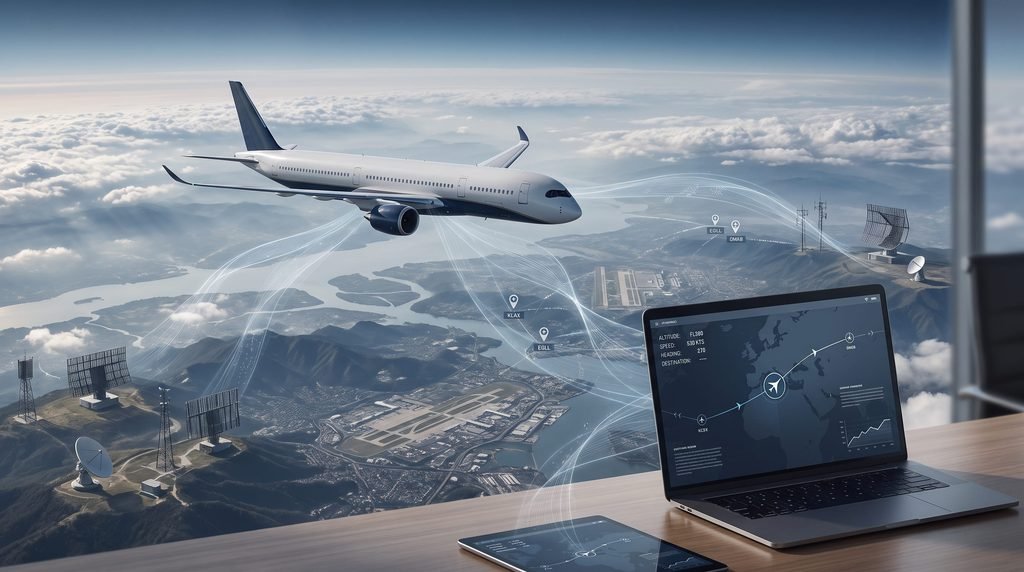
One of the technologies commonly associated with modern aircraft tracking is ADS-B, which allows suitably equipped aircraft to broadcast information that can be received by tracking networks.
Flight-tracking platforms can combine aviation data with other sources to create the information displayed to users.
Depending on the platform and flight, this may include:
- Aircraft position
- Altitude
- Speed
- Direction
- Route
- Departure information
- Estimated arrival
- Airport activity
- Weather information
The result is the moving aircraft map that travelers see on their phones and computers.
It is important to understand that not every aircraft is necessarily visible in exactly the same way or with the same level of detail.
Why Flight Trackers Sometimes Show Different Information
It is normal to occasionally see differences between a flight tracker, airline app, airport display, and boarding information.
Several factors can cause this.
Different data sources
Independent tracking services and airlines may receive or process information through different systems.
Update timing
One system may update before another.
Estimated times
An estimated arrival time can change as the aircraft’s actual progress becomes clearer.
Gate changes
Gate information can change quickly during airport operations.
Aircraft swaps
An airline may change the aircraft assigned to a flight.
Operational disruptions
Weather, air traffic restrictions, congestion, maintenance, and other operational issues can alter the schedule.
For this reason, use flight trackers for situational awareness and the airline’s official communication for passenger-specific instructions.
Are Free Flight Tracker Apps Good Enough?
For many travelers, yes.
If you only want to:
- Check whether a flight has departed
- See an aircraft’s approximate position
- Check arrival information
- Monitor a delay
- Look up airport activity
a free service may be sufficient.
Premium subscriptions become more relevant when you want advanced historical information, expanded alerts, additional aviation data, more sophisticated filters, or other specialized features.
The right question is not:
“Is premium better?”
It is:
“Will I actually use the additional features?”
For someone taking two flights a year, a free tracker plus the airline app may be all that is necessary.
For frequent travelers or aviation enthusiasts, advanced features can be considerably more useful.
How to Use a Flight Tracker Before Going to the Airport

A flight tracker can become particularly useful during the hours before departure.
Check the incoming aircraft
If your flight is operated by an aircraft arriving from another city, monitoring that aircraft can sometimes provide an early indication of whether the schedule is under pressure.
Check for delays
Look at both the tracker and your airline’s official flight status.
Monitor weather
Severe weather around your departure or arrival airport can affect operations.
Check connections
If you have a connecting flight, monitor the relevant flight information before leaving for the airport.
Still follow the airline’s instructions
A tracker is not a substitute for check-in, security requirements, boarding deadlines, or official airline announcements.
How to Use a Flight Tracker for Airport Pickup
Flight tracking is especially useful when collecting someone from an airport.
Instead of leaving home based only on the scheduled landing time, you can monitor the aircraft’s progress.
A practical approach is:
- Find the passenger’s flight number.
- Check the scheduled arrival.
- Monitor the flight once it becomes active.
- Watch for significant delays.
- Check the airport’s arrival information.
- Allow additional time for immigration, baggage collection, and walking to the pickup area.
The most important point is that landing time is not the same as passenger pickup time.
An international passenger may still need to clear immigration, collect luggage, and reach the designated meeting point after the aircraft has landed.
How to Use a Flight Tracker During a Layover
Flight trackers can also be useful between flights.
If you have a tight connection, check the status of your next flight before leaving the first aircraft or terminal area.
You can monitor:
- Departure changes
- Delays
- Gate information where available
- Aircraft status
- Airport activity
However, don’t let an app encourage you to cut your connection dangerously close.
Airport walking time, security procedures, terminal transfers, and boarding cutoffs still matter.
Are Flight Tracker Apps Accurate?
They can be highly useful, but no flight-tracking service should be treated as infallible.
Aircraft position and flight-status information can depend on available data, coverage, update frequency, and the source of the information.
For ordinary travel planning, a tracker can provide valuable situational awareness.
For critical decisions—such as whether you should still travel to the airport, whether a gate has officially changed, or whether your booking has been cancelled—verify the information with the airline or airport.
Think of the tracker as an additional information layer, not your only source.
What Flight Trackers Are Best for Different Travelers?
First-Time Flyers
Keep things simple.
An airline app plus one easy-to-use flight tracker is usually enough. Focus on departure status, arrival information, gates, and delays rather than advanced aircraft data.
Frequent Travelers
A more sophisticated tracker can be useful for monitoring delays, connections, incoming aircraft, and airport activity.
Families
Flight tracking can make airport pickups and arrival coordination easier, particularly when several people are waiting for one traveler.
Business Travelers
Fast access to schedule changes and delays can be especially useful when a trip involves tight connections or multiple flights.
Aviation Enthusiasts
Detailed aircraft information, historical playback, filters, 3D views, and aircraft tracking make specialist platforms more appealing.
Airport Pickup Drivers
A flight tracker is useful for monitoring the aircraft’s progress, but always allow extra time between landing and the passenger actually reaching the pickup area.
Flight Tracker vs. Airline App: Which Should You Trust?
You don’t necessarily need to choose one.
The two tools perform different jobs.
| Need | Best Source |
| Live aircraft position | Flight tracker |
| Aircraft details | Flight tracker |
| Global aircraft activity | Flight tracker |
| Booking information | Airline app |
| Digital boarding pass | Airline app |
| Check-in | Airline app |
| Gate updates | Airline app + airport |
| Baggage information | Airline app |
| Official cancellation information | Airline |
| Airport terminal information | Airport |
| Watching aircraft for fun | Flight tracker |
The smartest approach is to use the services together rather than expecting one application to provide every type of travel information.
Common Mistakes When Using Flight Tracker Apps
Relying on one source
A tracker is useful, but official airline communication remains important.
Assuming an estimated time is guaranteed
Estimated arrival and departure times can change.
Treating the aircraft location as the full travel status
An aircraft can be airborne while other parts of the passenger journey—such as gate assignment or baggage handling—are changing.
Forgetting the time zone
International flights cross time zones, so always confirm which local time a displayed schedule refers to.
Leaving for an airport based only on a tracker
A delayed aircraft does not automatically mean the airline has changed your required check-in or reporting time.
Assuming landing means the passenger is ready for pickup
Immigration, customs, baggage collection, and terminal walking can add significant time.
Do You Need More Than One Flight Tracker?
Usually, no.
For an occasional traveler, one reliable tracker plus the official airline app is a sensible combination.
Using multiple trackers can be useful when:
- You are monitoring an unusual aircraft
- Two services show different information
- You are following complex international travel
- You are interested in aviation data
- You want to compare information during a disruption
But installing five different apps does not automatically make your travel information better.
For most passengers, one tracker + the airline’s official app is the practical sweet spot.
The Best Flight Tracking Setup for Most Travelers
If you want a simple system that works without overwhelming you, use three layers:
Layer 1: Flight tracker
Use Flightradar24, FlightAware, or another reputable tracker to monitor the aircraft and broader flight status.
Layer 2: Airline app
Use the airline’s official app for booking information, boarding passes, gate changes, check-in, and passenger-specific instructions.
Layer 3: Airport information
Use the airport’s official website or app when you need terminal, airport-service, or arrival/departure information.
Together, these give you a much more complete picture than relying on one application.
FAQS
1. What is the best flight tracker app in 2026?
For many travelers, Flightradar24 is a strong overall choice because it combines live aircraft tracking, flight-number searches, airport information, aircraft details, historical data, and additional visual features. FlightAware is another excellent choice when flight-status information and alerts are the priority.
2. Can I track a flight by its flight number?
Yes. Major flight-tracking platforms generally allow users to search for a flight using its flight number. Always confirm the airline, route, date, and scheduled time so you are following the correct flight.
3. Are free flight tracker apps accurate?
Free trackers can be very useful for monitoring flight movements and status, but displayed information can vary according to data availability, coverage, and update timing. For important passenger instructions, confirm information through the airline.
4. Is a flight tracker better than an airline app?
Neither completely replaces the other. Flight trackers are generally better for broader aircraft and flight monitoring, while airline apps are better for booking information, boarding passes, check-in, gates, baggage, and airline-specific instructions. Using both is often the best approach.
5. Can I use a flight tracker to know when someone will be ready for airport pickup?
A tracker can show when an aircraft is expected to land, but landing is not the same as passenger pickup time. Immigration, baggage collection, customs, and walking through the terminal can add extra time, particularly after international flights.
Conclusion
The best flight tracker app depends on what you want to monitor.
For an all-around live aircraft experience, Flightradar24 is a compelling choice. For flight-status monitoring and notifications, FlightAware is particularly useful. Aviation enthusiasts may prefer Plane Finder, while travelers should still keep their airline’s official app available for boarding, gate, baggage, and booking information.
The most useful strategy is not to rely on a tracker blindly. Use it to understand what is happening with the aircraft and wider flight network, then confirm important passenger information through the airline or airport.
Once you know how to search by flight number, monitor an incoming aircraft, interpret estimated times, and combine independent tracking with official airline updates, flight tracking becomes much more than watching a plane move across a map—it becomes a practical tool for making air travel easier to manage.