
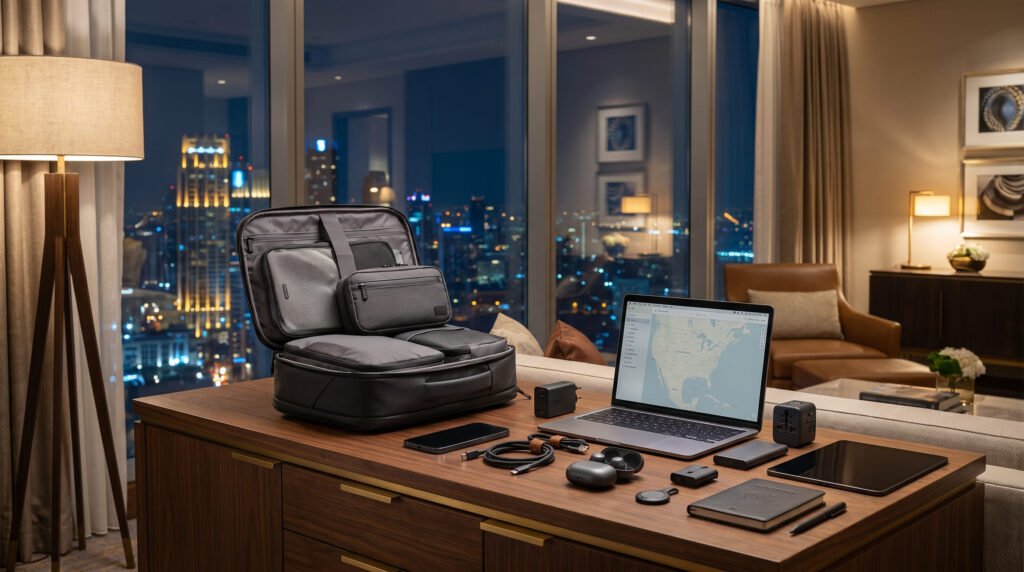
Packing technology for a one-bag trip is less about owning the right gadgets and more about choosing only the electronics that genuinely earn their space. A smart one-bag travel tech kit should keep you powered, connected, organized, and prepared without turning your carry-on into a heavy electronics case.
For most travelers, the essentials are surprisingly simple: a phone, the right charger and cables, a suitable power bank when needed, and a compact way to organize everything. International trips may add a plug adapter or eSIM, while business and remote-work trips can justify a laptop and a larger charging setup.
The goal is not to pack every useful device. It is to build a lightweight system around the trip you are actually taking.
What Is a One-Bag Travel Tech Kit?
A one-bag travel tech kit is the small collection of electronics, charging equipment, connectivity tools, and accessories you carry when traveling with limited luggage.
A good kit generally covers four needs:
- Power: charging your devices wherever you are.
- Connectivity: staying online and reachable.
- Organization: keeping cables and accessories together.
- Protection: keeping valuable electronics accessible and safely packed.
The exact contents should change with your itinerary. A three-day city break does not need the same setup as a two-week international work trip.
That is the central rule: build your tech kit around your trip, not around the gadgets you happen to own.
Essential One-Bag Travel Tech Checklist
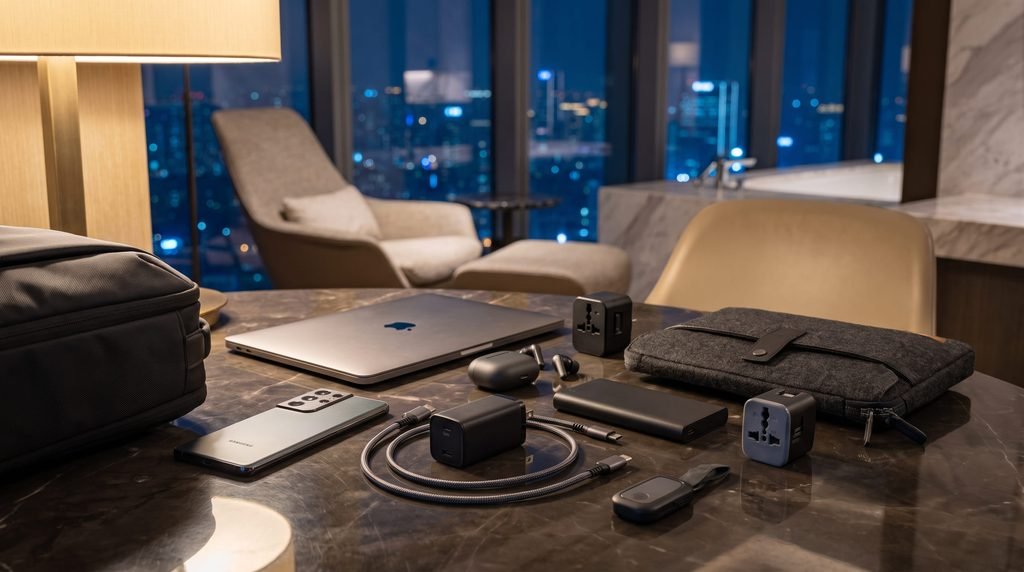
1. Your Smartphone
Your phone is usually the foundation of the entire system.
It can replace several dedicated travel items by handling maps, boarding passes, reservations, translation, communication, photography, entertainment, mobile payments, and travel apps.
Before departure:
- Download offline maps for important destinations.
- Save hotel and transportation details.
- Download boarding passes when available.
- Check that important travel documents are accessible offline.
- Install your preferred airline, transportation, translation, and authentication apps.
- Make sure the operating system and important apps are updated.
- Enable device tracking and a secure passcode.
The more functions your phone can reliably perform offline, the fewer physical items you need to pack.
2. One Main Charger
A single capable charger is usually more useful than several small charging bricks.
For a modern USB-C setup, a compact multi-port charger can potentially power a phone, earbuds, tablet, and compatible laptop from one unit. Check the charging requirements of your devices before relying on one charger for everything.
Look for:
- USB-C Power Delivery support where appropriate
- Enough wattage for your largest device
- Multiple ports if you genuinely need them
- A compact design
- Compatibility with the voltage range printed on your devices or chargers
Avoid choosing a charger simply because it has the highest wattage. The best charger is the smallest one that comfortably handles your actual devices.
3. The Right Cables
Cable quantity should follow your device ecosystem.
Instead of automatically packing four or five cables, list every device you are taking and ask:
Can one cable serve more than one device?
A typical setup might require:
- One USB-C-to-USB-C cable for a phone and compatible accessories
- A second cable if your laptop, camera, or other essential device needs it
- A device-specific cable only when there is no practical alternative
Short or medium-length cables can help reduce clutter, but durability matters more than saving a few centimeters.
Pack one genuinely useful backup cable when losing your only cable would leave you unable to charge an essential device.
4. A Power Bank When It Solves a Real Problem
A power bank can be valuable for long travel days, unreliable access to outlets, remote destinations, or heavy phone use.
It is not automatically essential for every traveler.
Consider one if you expect to spend long periods away from power, navigate extensively, use your phone for photography, or travel somewhere where charging access may be limited.
Check the power bank’s watt-hour (Wh) rating, not just its advertised mAh capacity. The Wh rating is what matters for aviation rules.
Current FAA guidance states that spare lithium batteries and power banks must be carried in carry-on baggage rather than checked baggage. The FAA also notes that batteries above 100 Wh may require airline approval, while batteries above 160 Wh are not permitted on passenger aircraft under its stated rules. Airlines can impose stricter limits.
IATA’s 2026 passenger guidance recommends a maximum of two lithium-ion power banks, each no more than 100 Wh, and advises passengers not to store power banks in overhead lockers. Airlines may impose more restrictive requirements.
5. A Travel Adapter for International Trips
A plug adapter changes the physical shape of the plug so it can fit a destination’s electrical outlet.
It does not automatically convert voltage.
Before an international trip, check:
- The plug type used at your destination.
- The voltage and frequency.
- The input range printed on your charger.
- Whether any device you are carrying requires voltage conversion.
Many modern chargers accept a broad input range, but you should verify the markings rather than assume.
A universal travel adapter makes sense for frequent international travelers, while a small destination-specific adapter can be lighter for a single-country trip.
6. A Compact Tech Organizer
A tech pouch prevents cables, adapters, memory cards, and small accessories from spreading throughout your bag.
The best organizer is not necessarily the one with the most pockets. For one-bag travel, excessive organization can become another form of bulk.
A compact pouch should comfortably hold:
- Charging cables
- Charger
- Adapter
- Power bank
- Earbuds
- Small device accessories
- Any essential specialty cable
Keep frequently used items easy to reach rather than burying them beneath clothing.
7. Earbuds or Headphones
Choose one audio solution.
Wireless earbuds are often enough for:
- Flights
- Podcasts
- Music
- Hotel use
- Walking around cities
- Calls
Larger noise-canceling headphones can make sense for frequent flyers, long-haul travel, or travelers who value stronger noise isolation.
Packing both is usually unnecessary unless you have a specific reason for each.
8. Luggage Tracker
A small Bluetooth luggage tracker can provide additional visibility when traveling with checked luggage or when your bag may be separated from you.
For a strict one-bag traveler who keeps the bag with them, it may be less important than it is for someone who frequently checks luggage.
The value therefore depends on your baggage strategy rather than the gadget itself.
Laptop, Tablet, or Neither?
This is one of the most important decisions in a one-bag tech setup.
Bring Only a Phone
For many vacations, a phone is enough.
Choose this setup when you primarily need:
- Maps
- Messaging
- Photography
- Travel documents
- Reservations
- Entertainment
- Basic browsing
Leaving the laptop behind can remove significant weight and simplify airport security.
Choose a Tablet
A tablet can be useful when you want a larger screen for:
- Reading
- Streaming
- Light browsing
- Travel planning
- Entertainment
- Basic productivity
It can provide more screen space without the weight and bulk of many laptops.
Bring a Laptop
A laptop becomes easier to justify when the trip includes:
- Professional work
- Long writing sessions
- Advanced software
- Large file management
- Business presentations
- Remote work
- Specialized creative applications
The key question is not “Could I use my laptop?”
It is:
“Will I use my laptop enough to justify carrying it?”
If the answer is uncertain, the phone or tablet may be the better one-bag solution.
Build Your Tech Kit Around Your Trip
There is no universal packing list that works perfectly for every traveler.
Weekend Leisure Trip
A compact setup could include:
- Smartphone
- Main charger
- One or two cables
- Earbuds
- Power bank if useful
- Destination adapter if international
Skip the laptop unless there is a clear reason to bring it.
International Vacation
Consider adding:
- Travel adapter
- eSIM or roaming plan
- Offline maps
- Power bank
- Luggage tracker if useful
- Backup charging cable
International travel increases the value of connectivity planning because mobile service, outlets, and access to familiar infrastructure may differ.
Business Travel
A business-oriented kit may include:
- Laptop
- Laptop charger
- Phone
- Phone charger
- Appropriate cables
- Earbuds or headphones
- Travel adapter
- eSIM or roaming setup
- Backup charging option
Keep the devices you need during the journey in an easily accessible part of your personal item or carry-on.
Remote Work
Remote work adds a different layer of requirements.
Depending on your workflow, you may need:
- Laptop
- Primary charger
- Backup cable
- Headphones
- Mouse
- Compact keyboard
- Connectivity backup
- Phone hotspot
- Necessary work accessories
Avoid bringing a complete desktop-office setup unless your work genuinely requires it.
Photography Travel
Photography can transform a minimalist tech kit into a much larger system.
Depending on the trip, you may need:
- Camera
- Lenses
- Batteries
- Battery charger
- Memory cards
- Card reader
- Phone
- Laptop or tablet for backup
- Storage solution
For photographers, the goal is not to force a vacation setup into a minimalist phone-only philosophy. It is to eliminate accessories that do not meaningfully support the photographic goal.
How to Create a Minimal Charging Setup

Charging equipment is one of the easiest places to reduce weight.
Start with your devices.
For example:
Phone + earbuds + tablet
may only require:
- One multi-port charger
- Two compatible cables
- One optional power bank
Adding a laptop may require a higher-output charger, but a single charger may still replace multiple individual bricks if its ports and output meet your devices’ requirements.
Before packing, check:
- Maximum charging wattage
- Port types
- Cable compatibility
- Charger input range
- Destination outlet type
The objective is simple: one charging system, as few separate components as practical.
What Should Go Inside a Travel Tech Pouch?
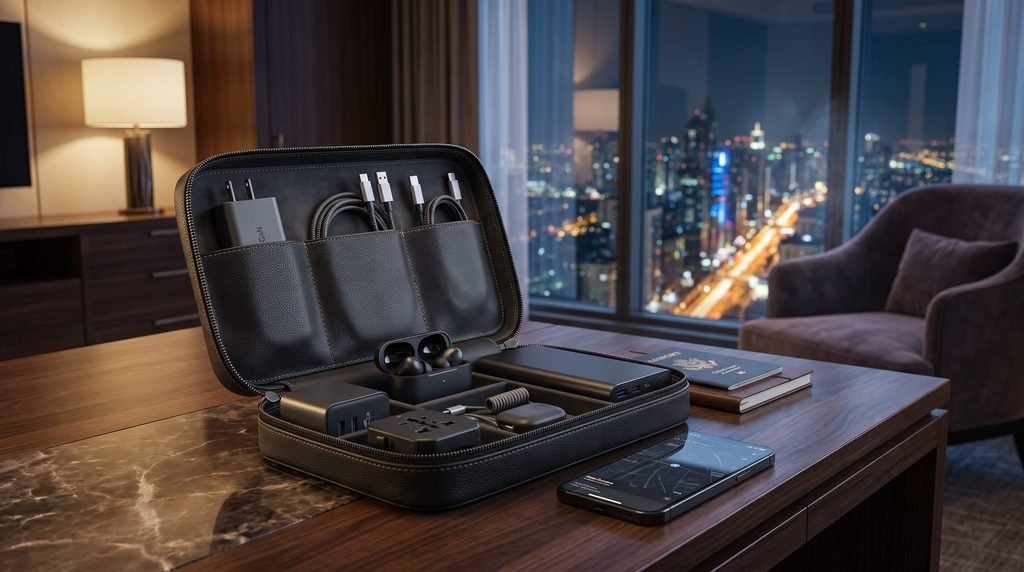
A compact tech pouch can contain:
Core
- Main charger
- Primary cables
- Earbuds
- Power bank if needed
International
- Plug adapter
- SIM/eSIM information if necessary
Situational
- Memory cards
- Card reader
- Watch charger
- Camera battery charger
- Specialty cables
Keep the pouch small enough that it discourages unnecessary additions.
A useful test is to remove every item one at a time and ask:
If I leave this at home, what realistic problem will it cause?
If the answer is “probably none,” the item may not deserve space in the kit.
How to Pack Electronics for Airport Security
Organize your electronics so you can access them without unpacking your entire bag.
Keep frequently screened or valuable devices near the top of your carry-on when practical.
More importantly, follow the current requirements of your airline and departure airport.
For lithium-battery safety, FAA guidance recommends carrying phones, laptops, cameras, and similar lithium-powered devices in carry-on baggage when possible. Spare lithium batteries and power banks must not be placed in checked baggage.
Security screening procedures can vary by airport, so do not assume that one airport’s electronics-screening process will be identical to another’s.
What Happens If Your Carry-On Is Gate-Checked?
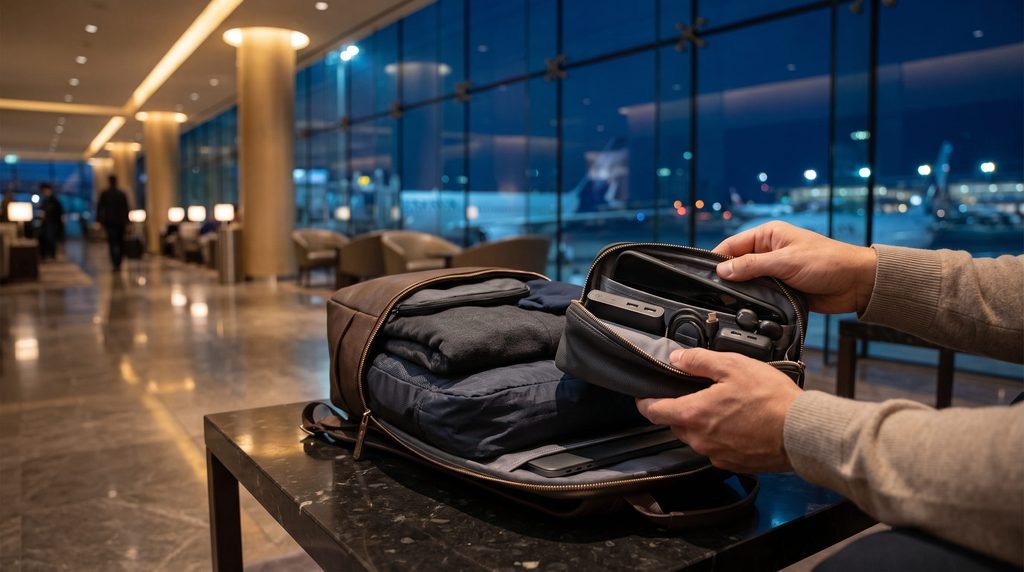
This is an important reason to keep your tech organized.
If an airline asks you to place your carry-on in the aircraft hold, remove the items that must remain with you before handing over the bag.
FAA guidance specifically says that spare batteries and lithium-battery-powered devices should be removed when a carry-on is gate-checked. IATA similarly advises passengers to keep lithium-powered devices and spare batteries with them.
A practical gate-check setup means your personal item should have enough room for:
- Phone
- Laptop or tablet
- Power bank
- Spare batteries
- Essential electronics
- Important travel documents
This is another reason not to bury your tech kit underneath your clothes.
International Travel Tech: eSIM, Roaming and Adapters
International connectivity should be planned before departure rather than solved at the airport in a hurry.
eSIM
An eSIM can be useful when your phone supports it and the destination network is compatible.
Before buying one, verify:
- Your phone supports eSIM.
- Your phone is unlocked if required.
- The provider covers your destination.
- The plan includes enough data.
- Your phone can use the required network bands.
Roaming
Your existing carrier may offer an international roaming package. This can be simpler than changing SIMs, particularly for short trips.
Compare the cost and convenience with an eSIM before departure.
Offline Connectivity
Regardless of your mobile plan, download:
- Maps
- Hotel information
- Boarding passes
- Important reservations
- Translation resources where available
A trip should not depend entirely on a live mobile connection.
Digital Essentials That Add Almost No Bag Weight
Some of the best travel-tech preparations are digital.
Before leaving, consider downloading:
- Offline destination maps
- Boarding passes
- Hotel confirmations
- Train or bus tickets
- Reservation details
- Emergency contact information
- Translation resources
- Entertainment
- Important travel documents
Also make sure important accounts have appropriate recovery methods.
Cloud backups can help protect important photographs and documents, but do not assume an internet connection will always be available. Keep essential information accessible offline.
What Tech Should You Probably Leave at Home?
One-bag travel improves when you become comfortable saying no.
Consider leaving behind:
Duplicate Chargers
Two full-size charging bricks rarely make sense unless your itinerary or device requirements justify them.
Excess Cables
A cable that works with no device in your bag is dead weight.
Multiple Audio Devices
Choose earbuds or headphones unless you genuinely need both.
Full-Size Accessories
Large laptop stands, bulky hubs, oversized organizers, and unnecessary peripherals can quickly undermine a minimalist setup.
“Just in Case” Gadgets
This is the biggest category to question.
A gadget that solves a problem you probably will not encounter may not deserve space.
How Much Should a One-Bag Tech Kit Weigh?
There is no universal ideal weight.
Instead, think in terms of percentage of your total luggage allowance and the purpose of the trip.
A leisure traveler carrying only a phone might have an extremely light technology setup.
A business traveler with a laptop, charger, headphones, power bank, and accessories will naturally carry more.
The better objective is:
Keep the tech kit as light as possible without compromising the activities the trip actually requires.
Weigh the complete pouch, not just individual gadgets. Small items add up surprisingly quickly.
The Essential vs Optional Framework
A simple four-level system can make packing decisions easier.
| Category | Examples | Decision |
|---|---|---|
| Essential | Phone, main charger, required cable | Pack |
| Useful | Earbuds, power bank, adapter | Pack when relevant |
| Situational | Laptop, tablet, tracker, camera | Trip-dependent |
| Low-value | Duplicate accessories, unused gadgets | Usually leave home |
This prevents the common mistake of treating every useful gadget as an essential.
One-Bag Travel Tech Mistakes to Avoid
Packing for Hypothetical Problems
Do not build your kit around every situation that could theoretically happen.
Pack for the trip you are actually taking.
Carrying Multiple Charging Systems
If one charger can safely power several devices, use that capability.
Ignoring Battery Ratings
Do not judge a power bank only by its mAh number. Check its Wh rating and current airline requirements.
Checking Valuable Electronics
Keep important electronics with you whenever practical.
Forgetting the Gate-Check Scenario
A beautifully organized carry-on becomes inconvenient if essential batteries and electronics are buried inside it.
Assuming Airline Rules Are Universal
Airline, country, and airport requirements can differ. Always check the current rules for your specific itinerary.
Packing Without Testing
Charge every device before leaving and test your complete charging setup.
Discovering that a cable or adapter is incompatible after landing is one of the easiest problems to prevent.
Your Pre-Flight One-Bag Tech Checklist
Before closing your bag, confirm:
Devices
- Phone packed
- Laptop/tablet packed only if needed
- Earbuds/headphones packed
- Camera packed only if required
Power
- Main charger packed
- Correct cables packed
- Power bank packed if needed
- Power-bank Wh rating checked
International
- Destination plug type checked
- Charger voltage compatibility checked
- eSIM/roaming arranged
- Offline maps downloaded
Organization
- Tech pouch packed
- Important electronics accessible
- Spare batteries protected
- Backup cable included if genuinely useful
Digital
- Boarding pass available
- Reservations saved
- Maps downloaded
- Device tracking enabled
- Important data backed up
Aviation
- Airline battery rules checked
- Power-bank restrictions checked
- Gate-check strategy considered
- Damaged or recalled batteries excluded
Who Needs a Full One-Bag Tech Kit?
Most travelers do not need the same amount of technology.
Minimal leisure travelers can often rely on a phone-centered setup.
International travelers may benefit from adding an adapter, connectivity plan, and backup power.
Business travelers have stronger reasons to carry a laptop and more capable charging equipment.
Remote workers should build the kit around their actual work requirements rather than attempting to recreate a full office.
Photographers and content creators may need substantially more equipment, but can still reduce unnecessary accessories through shared chargers, standardized cables, and careful battery management.
The best setup is therefore not the smallest possible kit. It is the smallest kit that reliably supports your trip.
FAQs
1. What should I pack in a one-bag travel tech kit?
Start with your smartphone, one suitable charger, the cables required by your devices, and a compact tech organizer. Add earbuds, a power bank, travel adapter, laptop, tablet, camera, tracker, or connectivity equipment only when your trip justifies them.
2. How many cables should I bring when traveling?
Bring enough cables to charge the devices you are actually carrying, while choosing compatible cables that can serve multiple devices where possible. A backup cable can be worthwhile when losing your only charging cable would create a serious problem.
3. Can I bring a power bank on a plane?
Yes, power banks are generally permitted in carry-on baggage but not checked baggage, subject to battery-size and airline restrictions. Current FAA guidance allows most personal-use rechargeable batteries up to 100 Wh, while larger batteries can require airline approval or be prohibited depending on capacity. IATA’s 2026 passenger guidance recommends a maximum of two power banks up to 100 Wh each, and airlines may impose stricter rules.
4. Do I need a travel adapter or a voltage converter?
A plug adapter changes the physical plug configuration; it does not necessarily change electrical voltage. A voltage converter may be needed for equipment that cannot accept the destination’s voltage. Check your charger’s input specifications and the electrical standards at your destination before departure.
5. Should I bring a laptop when traveling?
Bring a laptop when you expect to use it enough to justify its weight, such as for professional work, remote work, specialized software, or substantial file management. For many leisure trips, a phone or tablet can handle the necessary tasks with less weight and fewer accessories.
1 comment